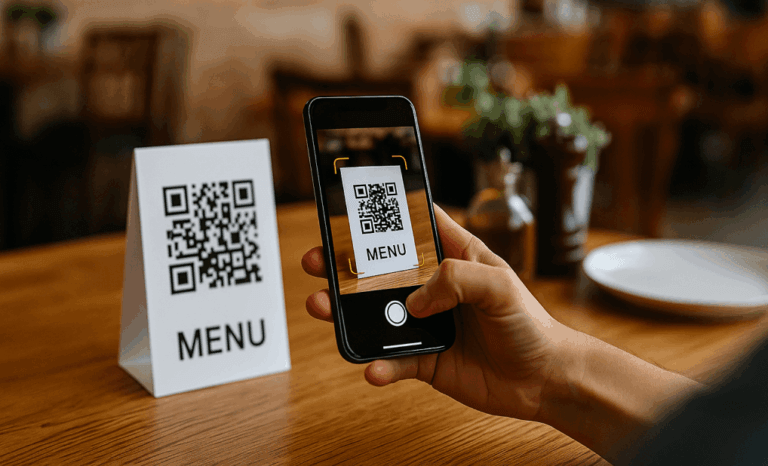
Why restaurants are switching to digital menus
The practical reasons are compelling enough on their own. When a dish sells out, you update the menu in seconds: no crossed-out items, no awkward explanations to customers. When prices change, you change them once and every QR code in the restaurant reflects it instantly. When you add a seasonal special, it's live before service even starts.
There's also the guest experience angle. A well-designed digital menu on a phone is easier to read than a laminated card in dim lighting, supports photos of dishes, and can be updated with allergen information that's genuinely accurate rather than printed once and never revisited.
What you actually need
Less than you'd expect. To get a digital QR code menu live, you need:
- A digital menu builder (like Bunstation), no technical skills required
- Your menu content: categories, dish names, descriptions, and prices
- Optional: photos of your dishes
- A printer, or access to a local print shop for the QR code cards
You do not need a web developer, a special app, or an expensive custom system to get a functional digital menu online.
Setting it up in 4 steps
Step 1: Build your menu
Create an account and start adding your menu content. Most AI-powered builders let you paste in your existing menu or describe it in plain text and generate the structure automatically. Add your categories (starters, mains, desserts, drinks), your dishes, prices, and descriptions. If you have photos, add them. They make a real difference to how much guests order.
Step 2: Publish to a URL
Once you're happy with the menu, publish it. You'll get a dedicated link, like yourmenu.bunstation.com or your own custom domain if you have one. The page is mobile-optimised automatically; you don't need to do anything special.
Step 3: Download your QR code
Generate a QR code that links to your menu URL. Download it as a PDF or PNG and take it to your local print shop, or order table cards and stickers online. Put one on every table, at the bar, and on your takeaway packaging if relevant.
Step 4: Keep it updated
This is where the real value kicks in. Every time something changes (prices, dishes, availability), log in and update the menu. No reprinting, no extra cost. The QR code never changes; only what it points to does.
What does it cost?
Pricing depends on what you need: a simple published menu, a custom domain, more storage for photos, or additional site features. See our pricing plans to choose the setup that fits your restaurant.
Either way, the QR code printing itself costs whatever your local print shop charges for a few table cards, typically a few pounds or dollars. There's no expensive hardware or proprietary system required. Get in touch if you need help getting set up.
Want to see how a restaurant menu looks before you start? Take a look at our restaurant menu page to see a live example of what Bunstation can build for you.