5 Free Website Templates for Small Businesses (Ready to Customize)
 Written by Krystian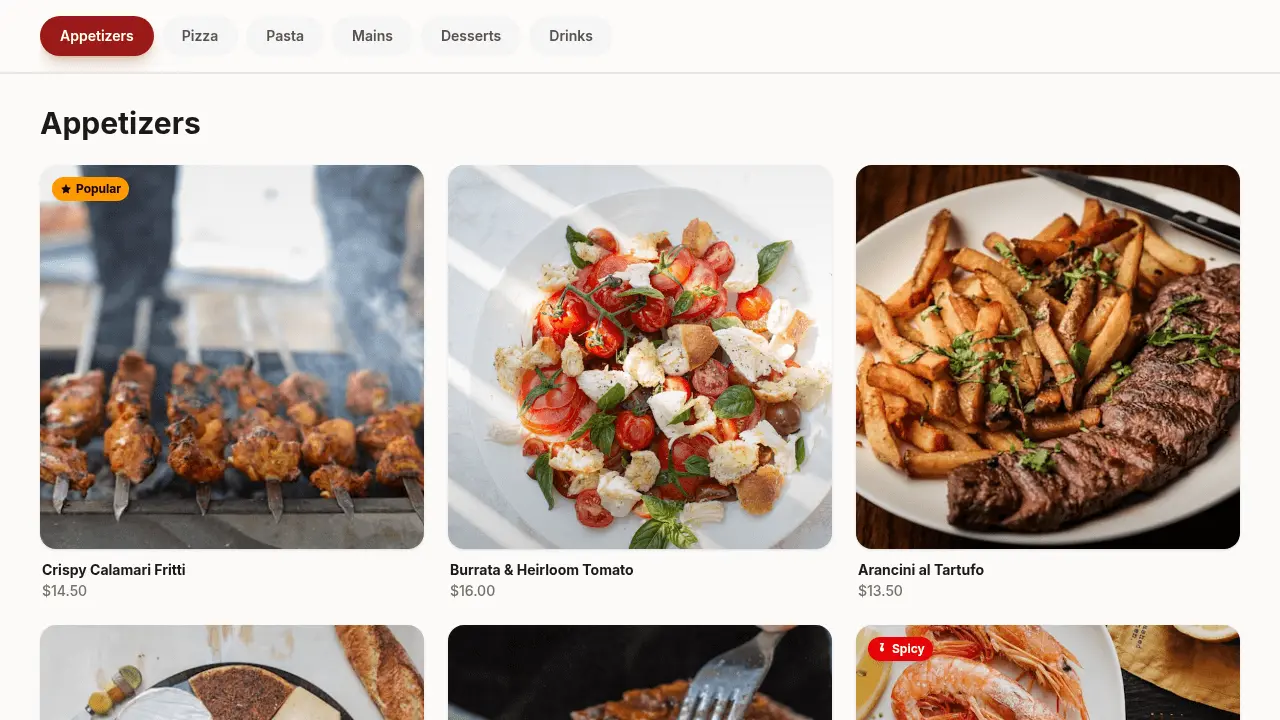
Starting from a template is one of the fastest ways to get a professional-looking website online. Instead of making every design decision from scratch, you begin with a working structure and customize the parts that need to reflect your specific business. These five templates cover the most common small business needs, and they're free to use.
1. The classic service business landing page
Best for: plumbers, electricians, cleaners, landscapers, personal trainers, and any local service provider.
This template leads with a strong headline and a phone number or contact form above the fold, because service businesses live and die by inbound calls. Below that: a brief description of services, a trust section with reviews or years in business, and a clear call to book or call.
What to customize: your specific services, your service area, your real customer reviews, and your contact details. Everything else can stay as-is. A shop page can start from the barber website template, or skip the layout and use the small business web builder.
2. The freelancer portfolio
Best for: designers, photographers, writers, developers, consultants: anyone who sells their expertise.
A portfolio template needs to do two things well: show your work and make it easy to get in touch. The best ones are minimal by design, because the work should speak for itself. Look for a template with a project grid, a short bio section, and a contact form or email link.
What to customize: your real work samples, your bio, your list of past clients or industries you've worked in, and your preferred contact method. Don't over-explain your process. Clients hire people, not methodologies.
3. The SaaS product page
Best for: software products, apps, tools, and any digital product with a recurring subscription.
SaaS templates tend to have a specific structure: hero with headline and demo/trial CTA, features section, social proof, pricing table, and a final CTA. This order is deliberate: it mirrors the way a prospective customer evaluates a software product.
What to customize: your product name and tagline, your three to five core features, your pricing (be specific, because vague pricing tables destroy trust), and your proof points. If you're pre-launch, swap the pricing section for an email capture.
4. The restaurant or café site
Best for: restaurants, cafés, bars, food trucks, bakeries, and any food or drink business.
Restaurant websites have a short list of must-haves: hours, location, a link to the menu, and a reservation link or phone number. A good template puts all of these within immediate reach. Photos matter more here than on any other type of site. Good food photography is a genuine competitive advantage.
What to customize: your actual menu (or a digital restaurant menu), your hours, your location with an embedded map, your booking link, and your best photos. The pizza website template is the published starting point for a menu-first page.
5. The coming soon / pre-launch page
Best for: anything you're building before it's ready (a product, an event, a community, or a newsletter).
A pre-launch page has one job: capture email addresses from people who are interested enough to want to know when you launch. Keep it simple: a headline, a brief description of what's coming, and an email signup form. A countdown timer is optional but can help create urgency.
What to customize: your product name, a one or two sentence description of what it is and why it matters, and your email capture form. Avoid the temptation to over-explain. If someone signs up, they'll find out more when you launch.
Template or AI-generated from scratch?
A template and an AI-generated site solve the same problem from opposite directions, and it's worth knowing which fits your situation:
A template is the faster starting point if your business closely matches one of the categories above. You know roughly what the finished site should contain, and you're mainly swapping in your own content rather than deciding what the page needs. Pick the closest match, customize it, and you can be live within the hour.
Generating from scratch with a written brief makes more sense when your business doesn't fit neatly into a category, when you need a specific combination of sections no single template covers, or when you'd rather describe your business in your own words than adapt someone else's structure. It takes slightly longer to get to a first draft, but the result is shaped around your specific brief rather than a general-purpose layout.
Neither approach locks you in. Most builders let you start from a template and keep editing exactly as if you'd generated it from a brief, so the choice mainly affects how you spend your first ten minutes, not what you end up with.
How to get the most out of any template
- Replace all placeholder text before you publish. AI-generated or template copy is a starting point, not a finished product.
- Use real photos from your business. Stock photography is fine as a placeholder but it undermines authenticity, especially for local businesses.
- Test the mobile version before sharing. Most templates are responsive, but always confirm before your first visitor arrives from a phone.
- Don't customize just for the sake of it. If the template's layout works, the default structure is probably the result of design decisions that have been tested across thousands of sites.
- Set a deadline. 'I'll launch when it's perfect' is how sites never get published. Set a date and ship what you have.
New to building without code? Read our step-by-step guide to building a website without coding: it covers everything from writing a good prompt to publishing your first site. Published layouts also include a real estate website template and a dental clinic website template. You can browse all available templates directly in Bunstation.
Ready to build something? Bunstation lets you go from idea to a live website in minutes, no coding required.
Start building →