How to Build a Website Without Coding
 Written by Krystian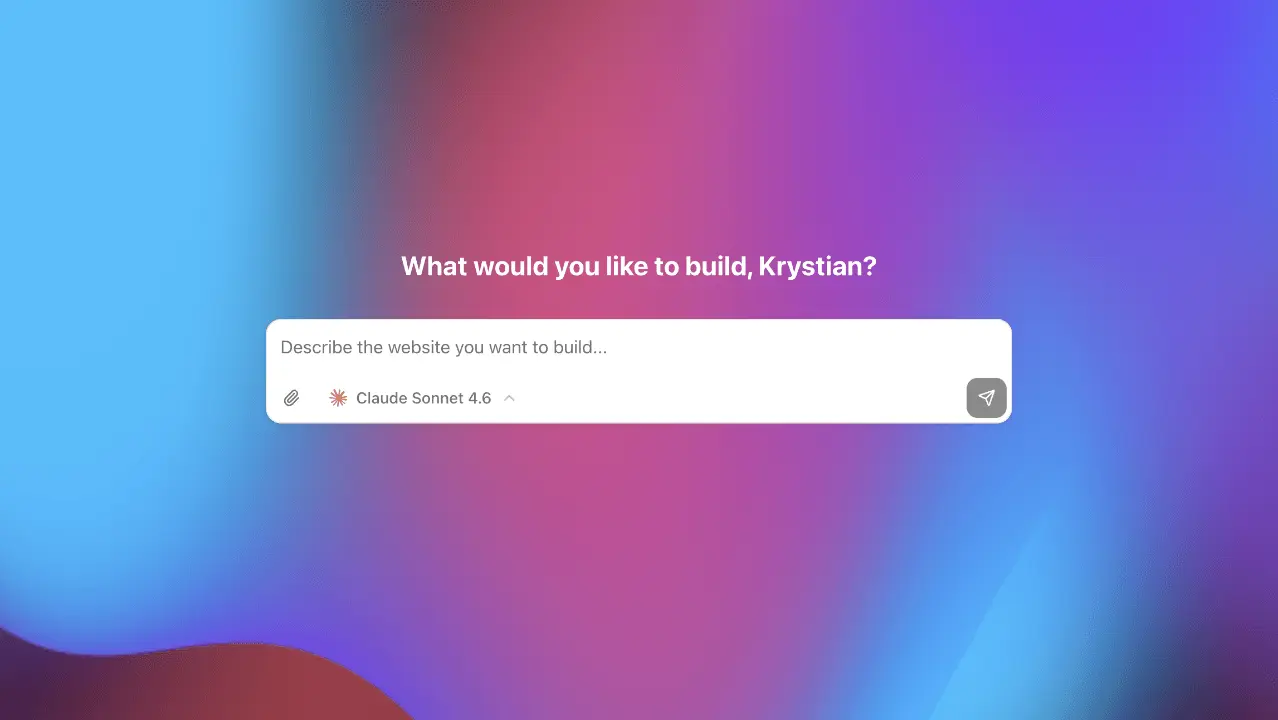
A few years ago, building a website meant either learning to code or hiring someone who could. Neither option was quick or cheap. Today, that's changed completely thanks to AI website creation tools that turn a plain-language brief into a real page. If you've been putting off launching a site because you thought it required technical skills, this guide is for you.
Start with a ready-made website, then customize the copy, images, and layout with AI—no code required.
How to create a website without coding with AI
The web development industry has spent years building tools that abstract away complexity. Page builders, drag-and-drop editors, templates: all of these helped, but they still required you to make a lot of decisions: layout, color scheme, font pairing, section order. That's where most non-technical people got stuck.
This new way of creating websites eliminates the blank-page problem entirely. Instead of staring at an empty canvas, you describe what you want in plain language and get a fully structured page back. The design decisions are made for you, and they're good ones.
What can you actually build without coding?
More than you might expect. With the right AI workflow, these are realistic projects today:
- Landing pages for products, apps, or services
- Personal portfolio sites for designers, photographers, and freelancers
- Small business websites with contact forms and location info
- SaaS marketing pages with pricing tables and feature sections
- Coming-soon pages with email capture
- Event pages and registration flows
The one honest caveat: if you need a full web application (something with a database, user accounts, and complex business logic), you're still going to want a developer or a dedicated platform. But for most marketing and presence-building purposes, AI-assisted website creation is entirely sufficient.
How to build a website without coding: step by step
1. Write a clear brief
The quality of your output depends heavily on the quality of your input. Before you start, spend five minutes writing down: what the site is for, who it's aimed at, what you want visitors to do, and what tone fits your brand. Even a rough paragraph helps enormously.
2. Generate the initial structure
Paste your brief into an AI website builder and let it generate the first version. Don't expect perfection. Expect a solid starting point. You'll get a complete page with sections, copy, and design that you can refine.
3. Customize what matters
Focus your editing energy on the things that make your site uniquely yours: your real headline, your actual pricing, your genuine photos, your specific contact details. Change the parts that aren't accurate before you worry about tweaking the design.
4. Connect a domain and publish
Once you're happy with the content, connect your custom domain (or use a generated one while you're getting started) and publish. Good AI tools for website creation handle hosting, CDN, and performance automatically, so you don't need to know what any of those words mean.
What you still need to provide, even without code
'No coding required' doesn't mean 'no input required'. The technical work disappears, but a few things still depend entirely on you, and no AI tool can generate them accurately on your behalf:
- Real content: your actual prices, your actual services, your actual team. AI can draft placeholder copy in the right structure, but only you know what's true about your business.
- Your own photos, wherever possible. Stock imagery works as a placeholder, but it's the fastest way to make a site feel generic once you notice it.
- A domain name. You'll need to either buy one (a five-minute process through most registrars) or start on a subdomain while you decide.
- A decision about what you want visitors to do. No tool can know whether your goal is a phone call, an email signup, or a purchase. That has to come from you before anything else falls into place.
None of this requires technical skill. It's judgment and information about your own business, which is exactly the part a coding background was never going to help with anyway.
Common mistakes to avoid
- Publishing with placeholder text. AI-generated copy is a starting point, not a final product. Read every word and make sure it accurately describes your business.
- Skipping mobile preview. Most of your visitors will come from phones. Check how your site looks on a small screen before you share it.
- Forgetting a clear call to action. Every page needs to tell visitors what to do next: sign up, book a call, or send a message. Don't leave them guessing.
- Using no-code when you need an app. If you need user authentication, a database, or real-time features, be honest with yourself about the tool's limitations.
Is 'no-code' actually good enough, or just easier?
It's a fair question, and the honest answer is: for the vast majority of websites, no-code output is genuinely competitive with hand-coded sites, not just an easier compromise. The HTML is clean, the performance is comparable, and the design quality depends on the tool, not on whether a human typed the CSS by hand. Where hand-coding still wins is in truly custom interactions and functionality no generator anticipates. For a standard marketing site, portfolio, or small business presence, that gap essentially doesn't exist anymore.
Getting started
The best way to learn is to build something. Browse our free templates, pick one that fits your project, and see how fast you can have something live. Even if the first version isn't perfect, you'll have something real to react to, which is a much faster path than starting from scratch.
If you're not sure where to start, open the barber website template for a local shop or the pizza website template for a menu, then browse the rest of the templates. The days of needing a developer for a basic web presence are genuinely over. The barrier is no longer technical, it's just getting started.
Frequently asked questions
Yes. An AI website builder turns a plain-language brief into a designed page: layout, copy, and mobile styles included. You still supply real prices, photos, and a call to action, then publish.
Write what the site is for and who it is for, generate the first version, replace placeholder copy with facts about your business, check the mobile view, then connect a domain and publish.
Landing pages, portfolios, small business sites, SaaS marketing pages, coming-soon pages, and event pages. A product with accounts, a database, and custom business logic still needs a developer or a dedicated app platform.
For most marketing sites, yes. Clean HTML, comparable performance, and design quality that depends on the tool, not on whether someone typed the CSS. Hand-coding still wins for custom interactions no generator anticipates.
A first version can be live the same day. Most of the time goes into writing a clear brief and swapping in your real content, not into learning to code.
Ready to build something? Bunstation lets you go from idea to a live website in minutes, no coding required.
Start building →