Present your spa clearly
Use strong photos and short descriptions to show your main rooms, facilities, or experiences as soon as the page opens.
A complete website template for spas, bathhouses, and wellness centers. Show your rooms, explain the guest experience, list treatments and prices, introduce your team, and accept booking requests. Add your own content and publish when you are ready.
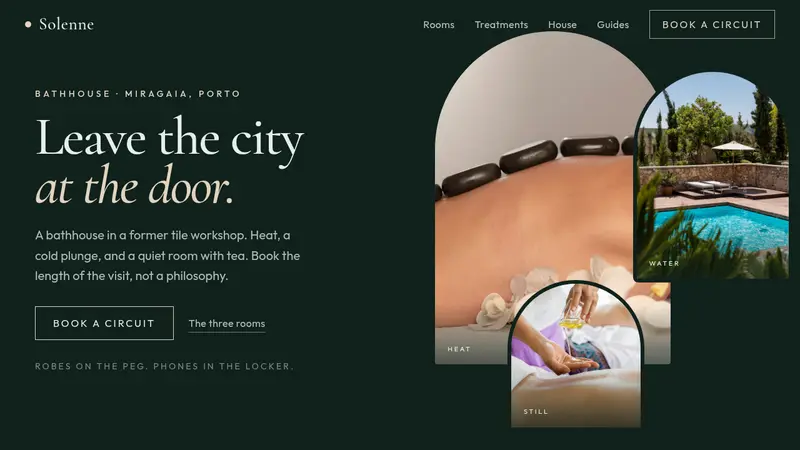
Use strong photos and short descriptions to show your main rooms, facilities, or experiences as soon as the page opens.
A simple four-step section guides visitors through a typical spa visit, from arrival to the final moment of rest.
Guests can filter treatments by category and quickly compare the duration, price, and key details of each service.
The form collects the selected experience, preferred time, guest name, contact details, and an optional message. Your team can confirm the booking directly.
Click “Use this template” to create a new project. The full layout is ready, including rooms, treatments, team profiles, practical information, opening hours, and a booking form.
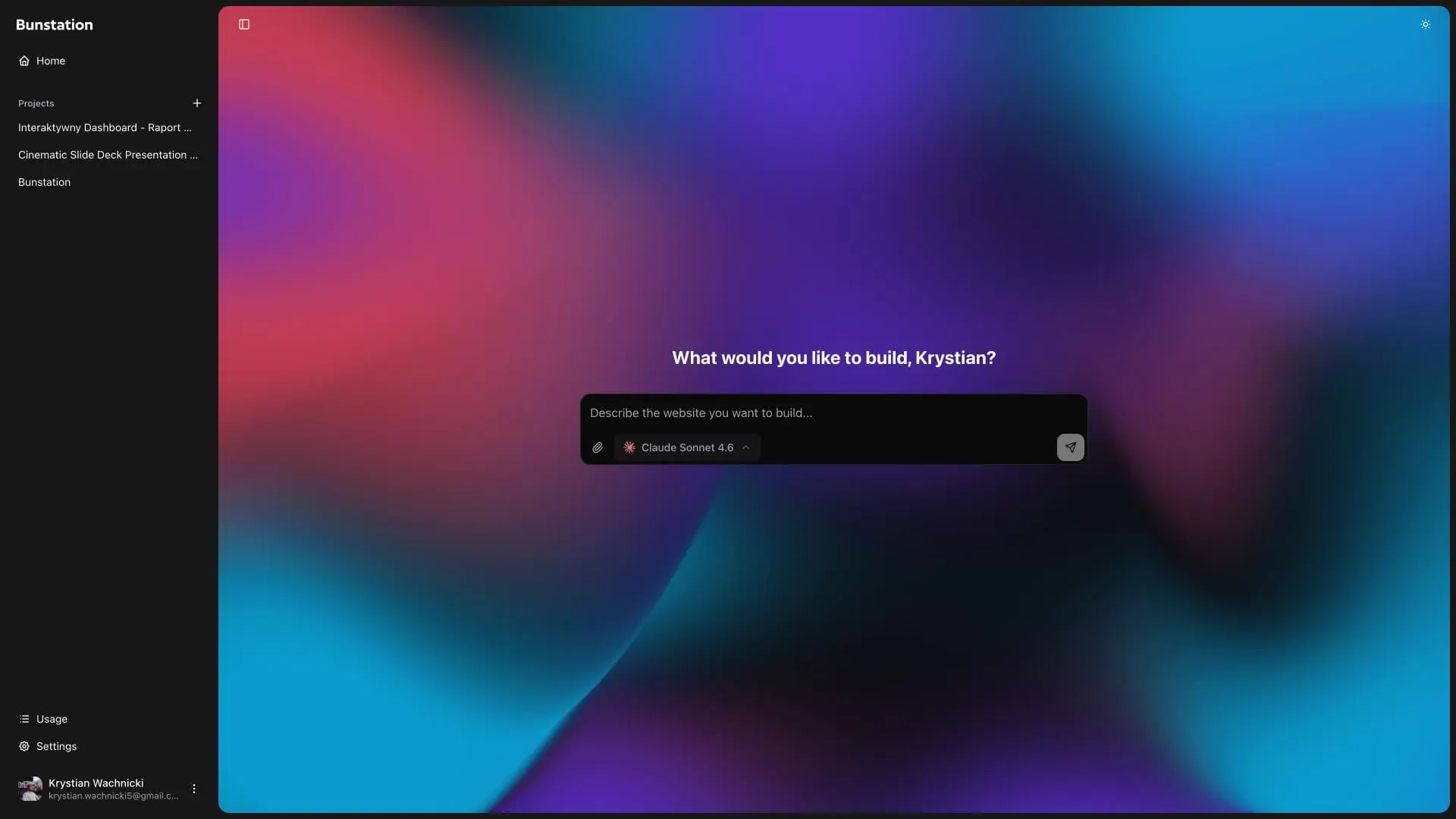
Replace the sample content with your spa name, photos, rooms, treatments, and prices. Use the AI editor to update the text, team profiles, contact details, and opening hours.
Publish your website with one click. Connect your own domain, share the link with guests, and update your content whenever your services or hours change.
01
Start with a clear headline, a short description, and three large photos. Use them to present your main rooms or experiences. The layout adapts to phones, tablets, and desktop screens.
02
Explain a typical visit in four simple steps. Then present each room with a photo, temperature, and short description. Guests can see what to expect before they book.
03
Organize treatments into clear categories. Each item can include a duration, price, short summary, and full description. You can also add a section about your space, approach, and house rules.
04
Introduce your team with photos and short profiles. Add guest reviews and practical information such as what to bring and your cancellation policy. Finish with a simple booking request form.
A professional layout for clinics that need to present services, staff, and appointment requests.
A complete website for cafes that need a menu, opening hours, team profiles, and reservation requests.
Create a custom business website with AI instead of starting from a template.
Clear answers about the template, customization, booking, and publishing.
The template includes a hero section, room and facility sections, a four-step guest journey, a filterable treatment list, team profiles, reviews, practical visitor information, opening hours, and a booking request form.
Yes. You can change every treatment name, category, duration, description, price, and photo. You can also add new services or remove the ones you do not offer.
Yes. You can change the name, text, colors, photos, rooms, treatments, team, reviews, booking options, and contact details. You can also add, remove, or reorder sections. Need help choosing colors? Start with the color palette generator.
Yes. The template starts as a complete one-page website. You can add pages for memberships, gift cards, packages, additional locations, or a full treatment menu.
Yes. You can use the included booking request form or link the buttons to the booking system you already use.
Yes. After publishing, you can connect your own domain and use it on Google, social media, printed materials, and business listings.
No. You can customize and publish the website with the AI editor. You can also download the source code if you want to edit it yourself. See how Bunstation can help you build a small business website.
You can update the main content and publish a complete website in about 30 minutes. Adding more pages or custom features may take longer.
Do you have more questions? Contact us
Get started today
Add your brand, services, photos, team, opening hours, and contact details. Then connect your booking process and publish.