Show your best projects
Present your work in a clear project list with client names, categories, dates, photos, and full case studies. Visitors can quickly browse what you have created and open any project to learn more.
A ready-made portfolio website for designers, freelancers, and creative studios. Show your projects, introduce your team, explain how you work, share client reviews, and receive messages from potential clients. Replace the example text and photos with your own content, then publish.
Present your work in a clear project list with client names, categories, dates, photos, and full case studies. Visitors can quickly browse what you have created and open any project to learn more.
Introduce your studio, your team, and the way you work. Add your own story, values, portraits, experience, and process so potential clients know who they will be working with.
Smooth scrolling effects, moving images, project previews, changing team portraits, and animated reviews make the page engaging without distracting from your work.
Finish the page with your email, address, opening hours, common questions, and a simple contact form. Visitors can choose the type of work they need and send you a message directly.
Click “Use this template” to add the complete portfolio website to your workspace. The layout, sections, animations, and contact form are already prepared, so you do not need to build the page from scratch.
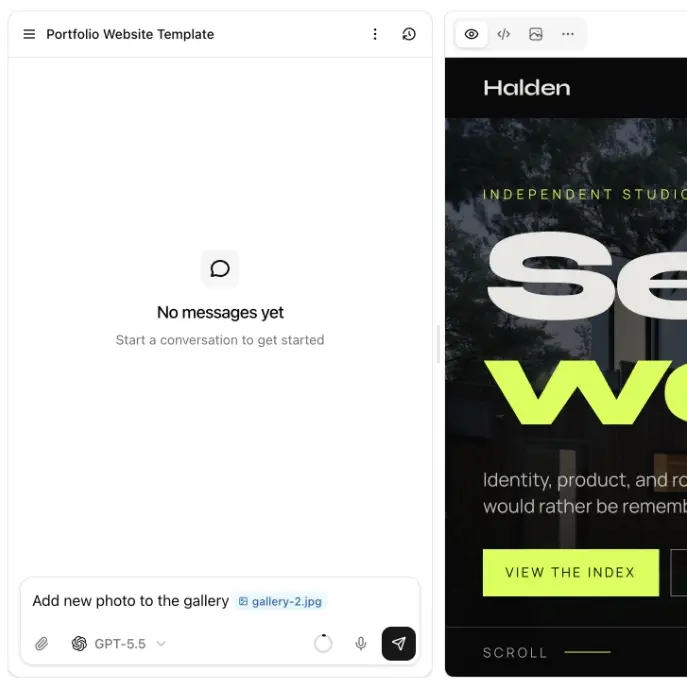
Replace the example projects, photos, names, and text with your own content. Use the AI editor to introduce your studio or personal brand, explain your process, add your team, and update the contact details.
Publish your finished portfolio with one click and connect your own domain when you are ready. Share the website with potential clients through social media, proposals, applications, or your email signature.
01
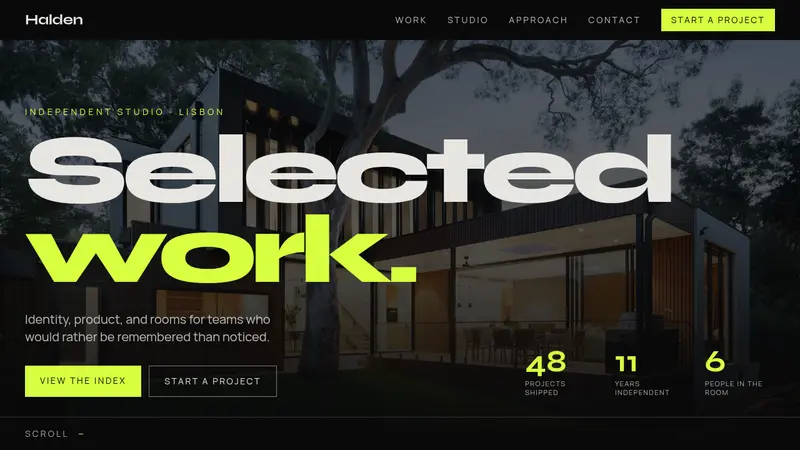
The template opens with a full-screen hero containing a large headline, background photo, short introduction, studio statistics, and two clear buttons. The text appears smoothly when the page loads, the photo moves gently while scrolling, and an animated scroll indicator guides visitors down the page. A bright, continuously moving strip underneath displays selected client names.
02
A numbered project index presents every project with its client, category, and year. When a visitor hovers over a row, a project photo follows the cursor. Clicking a project opens a large case-study window with a photo, description, and project outcome, making it easy to show more detail without leaving the homepage.
03
The studio section includes space for your story, working style, and key values. A large image expands smoothly as the visitor scrolls, followed by a gallery that moves sideways while the page moves down. A three-step process explains how you work, with an animated vertical line that grows through the section.
04
Visitors can select team members to see their portrait, role, and biography change with a smooth transition. Client reviews can be browsed with previous and next buttons, and common questions open in an animated FAQ. The page finishes with email, address, opening hours, and a complete project inquiry form.
What is included, who the layout suits, and how projects, inquiries, updates, and pricing work.
The template includes a work-first homepage, a numbered project index, a studio story, stills, a three-step approach, people, client notes, FAQs, hours, and a start-a-project form.
Yes. You can replace the sample case studies with your own work, including client, discipline, year, summary, outcome, and photographs.
Yes. Use the AI editor to change the text, images, projects, sections, pages, and the inquiry form. You can customize the website to match your studio. If you are choosing brand colors first, start with the color palette generator.
Yes. You can create additional pages for individual projects, services, an about page, or anything else you need.
Yes. The template includes a short form for name, email, kind of work, and a note. You can also point a button at your email address.
Yes. Once your portfolio is ready, you can connect your own domain and publish it as your studio website.
No. You can customize the template using the AI editor without writing code. You can also download the source code if you want to make further changes yourself. The same path is how we build a small business website.
You can customize the template and publish a complete portfolio in around 30 minutes, depending on how much you want to change.
Do you have more questions? Contact us
Get started today
Replace the sample projects with your own, add the people and the photographs, then point the inquiry form at the inbox you already read.