Ready-made dental services
Show your treatments with ready-made service cards: photos, short summaries, and room for more detail. Replace the sample care with your own and keep the layout.
Create a professional online presence for your dental clinic with ready-made sections for services, your team, patient information, FAQs, and appointment requests. Customize the layout and content to match your clinic, add insurance details or contact forms and make it easy for new patients to get in touch.
Show your treatments with ready-made service cards: photos, short summaries, and room for more detail. Replace the sample care with your own and keep the layout.
A calm dental clinic website template for clinics, private studios, and family practices. Present your care, introduce the team, and give visitors a clear way to book.
Add the studio story, a simple visit process, team bios, reviews, hours, and FAQs. Give new patients a better idea of who you are before they walk in.
Make it easy to request a chair. Add your phone number, address, hours, and a booking form so patients can get in touch from search or Instagram.
Select “Use this template” to create a new project with the complete dental clinic website. The essential sections are already in place, so you can focus on adapting the content to your practice.
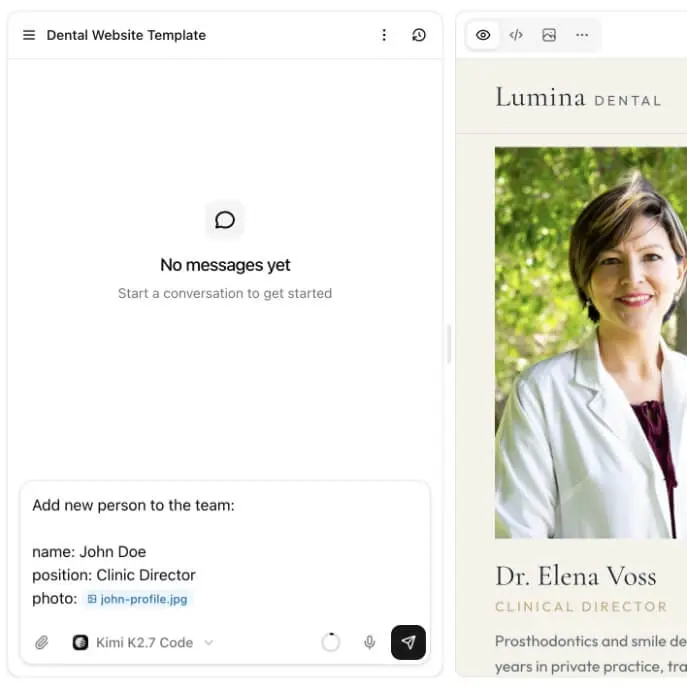
Use the AI website builder to add your clinic name, treatments, team, photos, and contact details. You can also create new pages or adjust the layout to match the way your dental practice works.
When your dental clinic website is ready, publish it with a single click. Then add it to your Google Business Profile so patients can find it on Google Maps or share it on social media to reach more people.
01
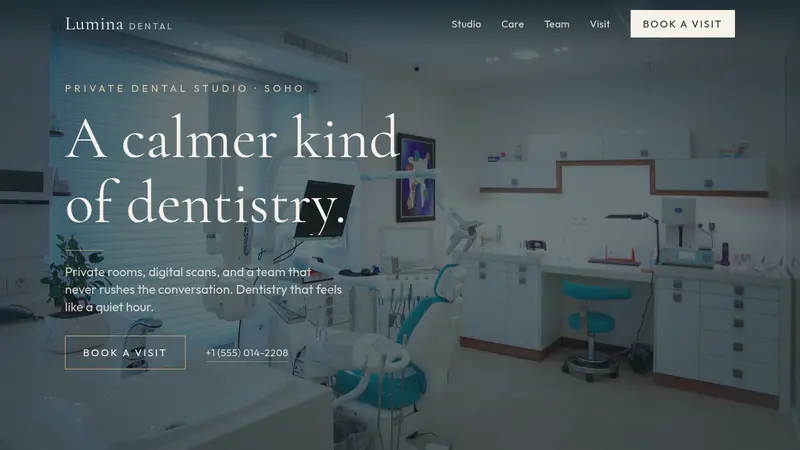
The dental clinic website template starts with a full-screen hero for your studio, with space for a treatment-room photo, a short headline, and clear actions such as booking a visit or calling the front desk.
02
Show preventive care, cosmetic dentistry, aligners, implants, family visits, and urgent care. Each service can include a photo, a short summary, and more detail so patients understand what you offer before they call.
03
Explain how a first visit works with a three-step process. Show what patients can expect from the conversation, the exam or scan, and the treatment plan, without a menu of upsells.
04
Introduce the dentists and hygienists, share patient reviews, answer common questions, and finish with hours, address, phone, and a request-a-chair form.
What is included, who the layout suits, and how services, booking, updates, and pricing work.
The template includes a clinic-focused homepage with a hero, services, a patient journey section, team bios, testimonials, FAQs, hours, and a visit request form.
Yes. You can replace the sample treatments with your own services, including photos, descriptions, and visit lengths for preventive care, cosmetic work, implants, and more.
Yes. Use the AI editor to change the text, images, services, sections, pages, and booking forms. You can customize the website to match your dental clinic. If you are choosing brand colors first, start with the color palette generator.
Yes. You can create additional pages for services, the team, new patients, insurance, locations, or anything else you need.
Yes. You can add a visit request form so new patients can book or send inquiries directly from your website. You can also point a button at your phone number or booking tool.
Yes. Once your dental website is ready, you can connect your own domain and publish it as your clinic website.
No. You can customize the template using the AI editor without writing code. You can also download the source code if you want to make further changes yourself. The same path is how we build a small business website.
You can customize the template and publish a complete dental website in around 30 minutes, depending on how much you want to change.
Do you have more questions? Contact us
Get started today
Replace the sample services with your treatments, add your team and original photography, then connect the booking route your front desk already uses.