

Code
Most edits should start in chat. Use the Code tab when you need a precise file change: a component the model keeps missing, a one-off animation, or a bug you can already see in the tree.
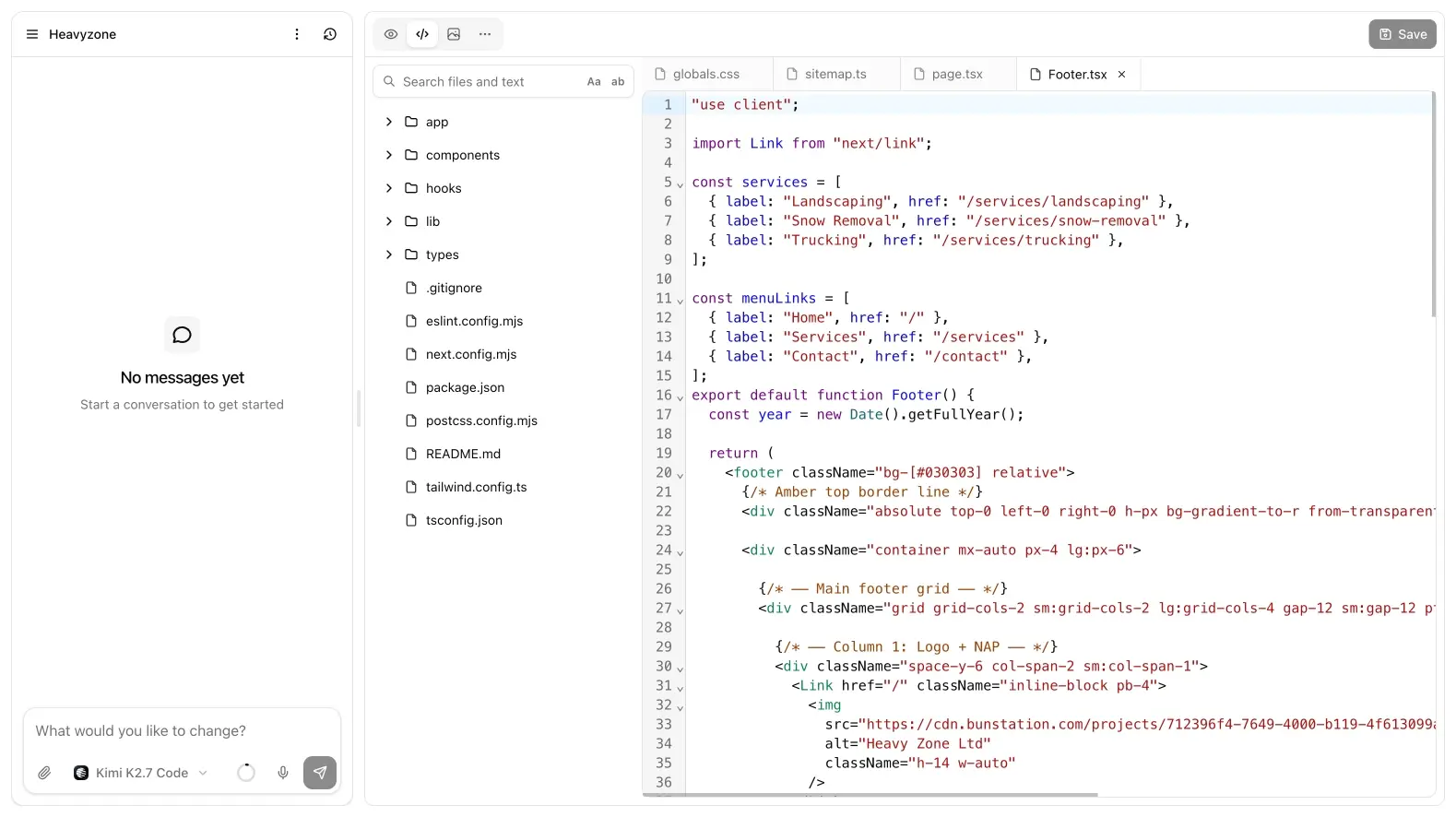
File tree
The file tree lists the generated project. Open files in tabs, search across the repo, and save.
- Free: code is read-only. You can read it, copy it, and still change the site through chat.
- Pro: the editor is writable. This is for component-level work the canvas cannot express.
There is no separate Figma-style visual builder. Inspect in preview, or edit the file. Chat still sees the tree after a Pro edit, so a later prompt can build on the change instead of overwriting it blindly: mention the file with @ if you want that path locked in.
Search is useful when a class name or copy string appears in more than one route. Open the match, then either patch it yourself (Pro) or paste the path into chat.
Download source
Download source (preview menu) exports a ZIP. That is a Pro action. Unzip it locally if you want git, a local npm workflow, or to hand the project to a developer. Bunstation does not connect GitHub for you; the ZIP is the handoff.
Export captures the current commit, not an unpublished buffer. Save the file, wait for the commit if chat just finished, then download.
When to use chat instead
Ask the model to swap copy if you do not care which file it touches. Drop into Code when you already know the path, or when a follow-up keeps missing the component.
A good split:
- Chat for layout, new pages, and copy that spans several files
- Code tab for a known component, a CSS token, or a bug you can reproduce in one file
- Preview inspect when you can click the element but do not know the filename
If you edit on Pro and the preview looks stale, reload the iframe. If the change should go live, publish that commit. If it made things worse, restore the previous snapshot in versions instead of fighting the file by hand.