

Editor
After the first generation, every project opens in the workspace: chat on the left, the site on the right. This is where you refine a draft instead of starting over.
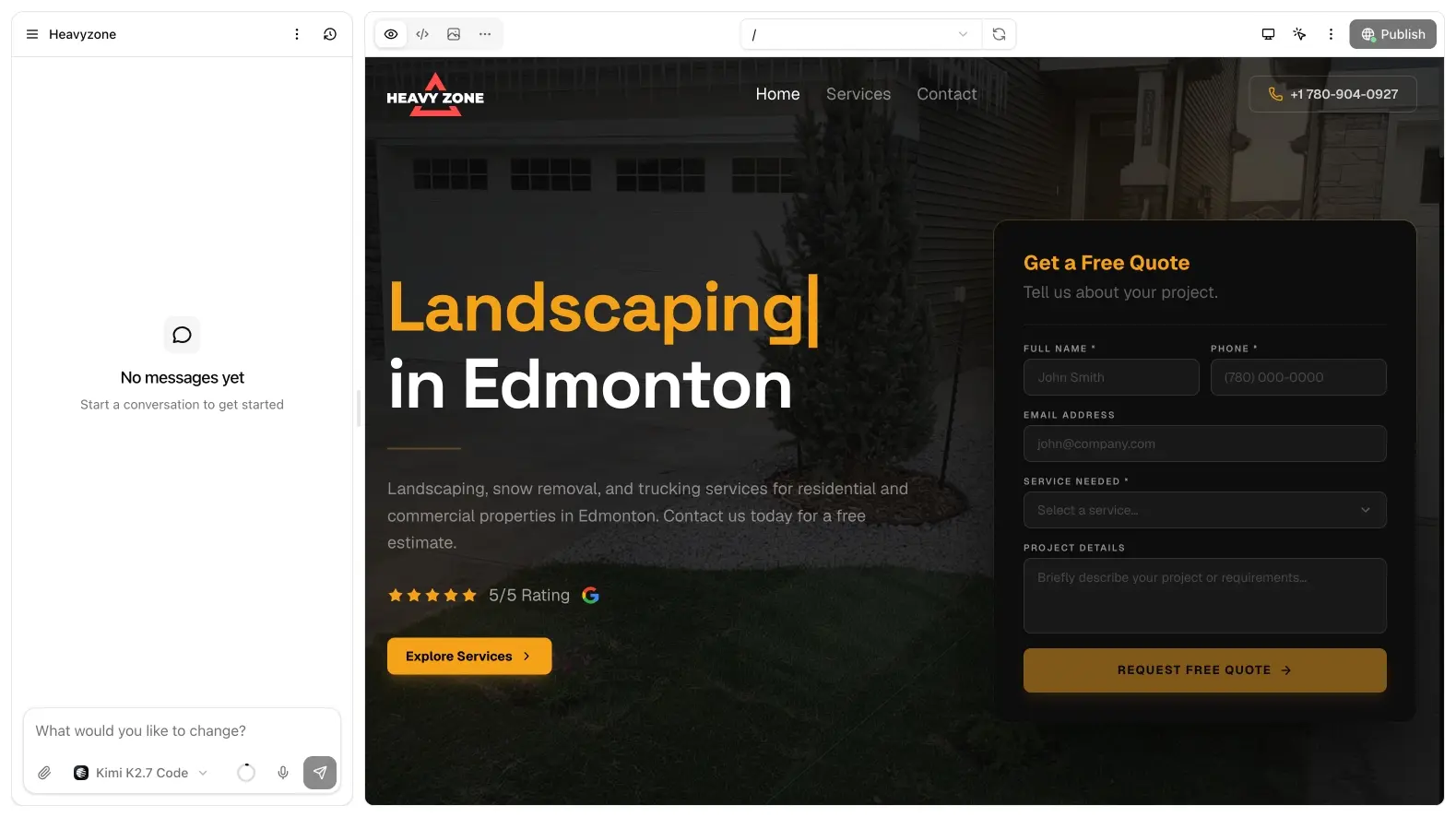
Layout
- Chat: follow-up prompts, attachments,
@file mentions, model picker, stop, queue - Main tabs: Preview (default), Code, Media, More, and Diffs when you open a commit
Drag the divider between chat and the canvas if you need more room for either side.
Chat
Type like a brief, not like a search query. The model streams a todo list as it works. Click Stop to halt a run. If you send while it is busy, Add to queue keeps the message for next.
Context usage is shown as a donut so you can see when the thread is getting long. Chat history is the project’s commit timeline.
The project menu (name in the aside) can rename, clear chat, Clone project, or delete.
Ask user
Sometimes the model stops with a multiple-choice Ask user card. Pick an option so it can continue without guessing.
More
The More tab holds domain, Cloud, environment variables, integrations, and redirects.