

Custom domains
A custom domain is a Pro feature. Free projects stay on *.bunstation.app.
Open Publish or More → Domain configuration, expand Custom domain, and enter the hostname you already own (www.studio.com or the apex if your DNS host supports CNAME flattening).
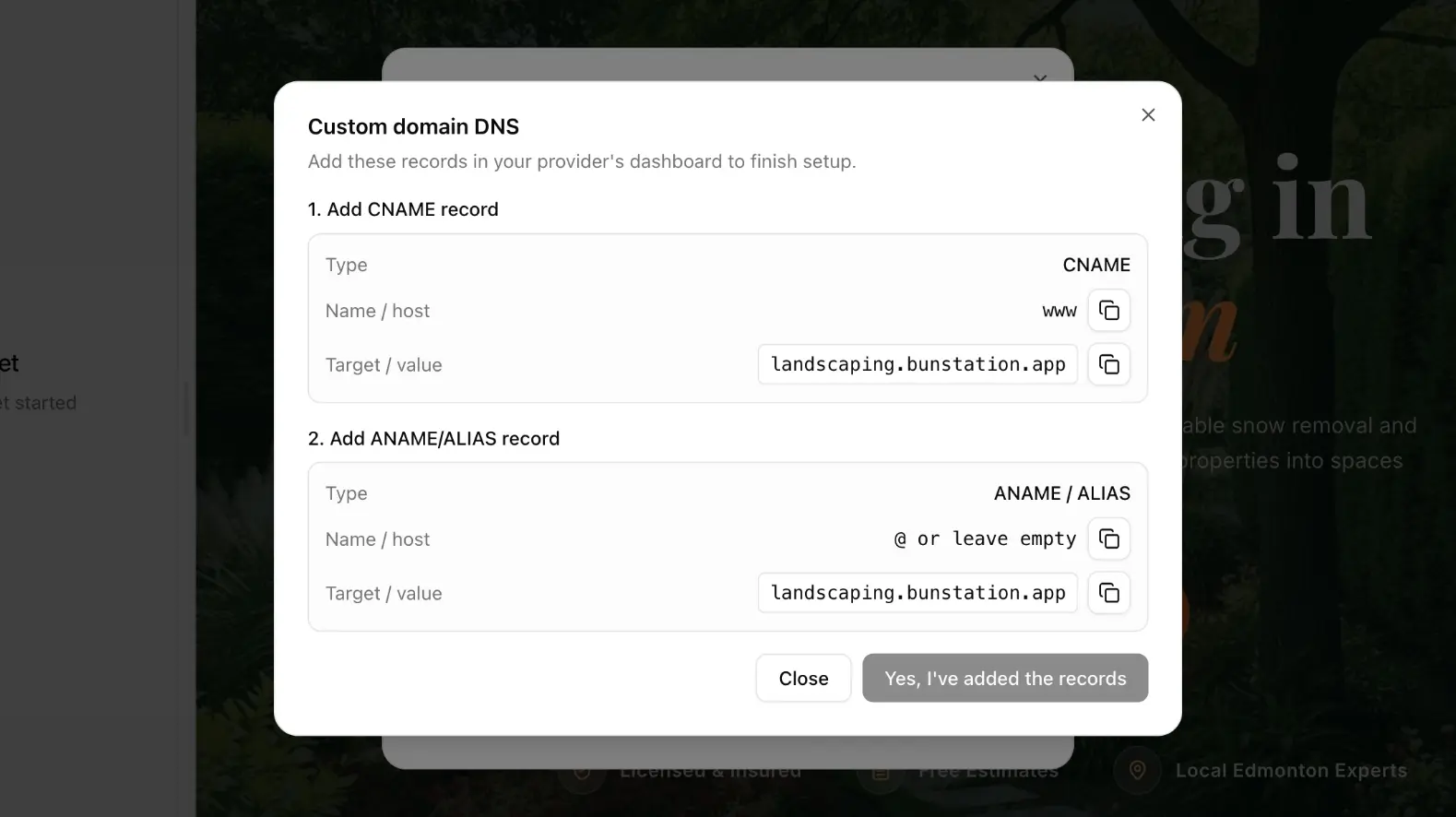
DNS
Bunstation shows the CNAME target (your Bunstation URL). Add that record at your registrar.
For SSL you may also need the ACM validation CNAME shown in the DNS dialog: Add CNAME record for SSL certificate. Until those records propagate, status stays Verifying. When it works, you see Connected.
www and the apex can both serve the same site if you add both records. Pick one as canonical in your own redirects if you care about duplicate-host SEO; the product will serve whichever hostname you attached.
TTL can make this look stuck. If the dialog still says Verifying after you saved the records, wait out the registrar’s TTL (often 5–30 minutes, sometimes longer) and confirm the CNAME with a DNS lookup before you change values again. Wrong targets are the usual failure, not Bunstation “not seeing” a record that never pointed at the shown host.
SSL
Certificates are provisioned for you. You do not upload a .pem. HTTPS is the default once Connected. Do not mix leftover A records that still point at an old host: they fight the CNAME and will keep HTTP or the previous site alive for some resolvers.
If visitors see a certificate warning, the validation CNAME is missing or the hostname in the form does not match the record you created (www vs apex). Fix DNS, then wait; you do not paste a new cert.
Remove a domain
Delete the external domain from the same form, then remove the DNS records so they do not point at an empty host. The Bunstation URL keeps working. Publish is independent of the custom hostname: connecting a domain does not freeze the project. Keep publishing updates to the same hostname.
After a domain move, add redirects for paths that changed, and check that the new host loads the same commit you already tested on *.bunstation.app.
Next
- Publish: public Bunstation URL
- Redirects: old paths after a cutover
- Plans and credits: Pro requirement