

Versions
Bunstation versions a project as commits, not as a GitHub repo. Each chat turn that changes the site can produce a snapshot you can preview, diff, restore, or publish.
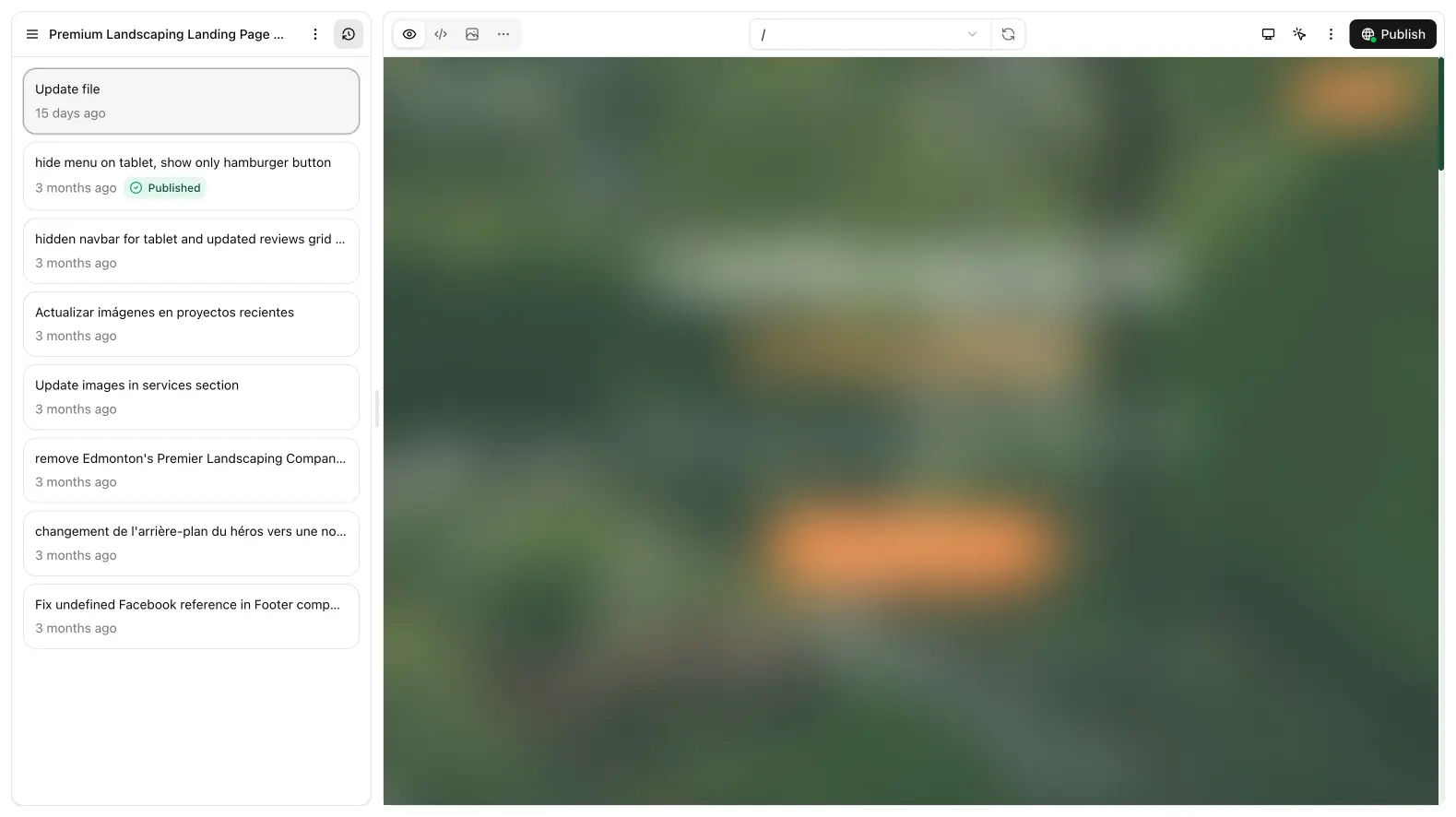
History
The chat aside lists commits. Open one to load that SHA in preview. Diffs (?tab=diffs) shows what changed against another snapshot. Use diffs when a follow-up “almost” worked and you need to see which files moved before you restore or prompt again.
Commits are the project’s undo stack. A long chat is not a liability as long as you can name the last good snapshot. If the aside is noisy, open the commit you care about and ignore the rest: restoring does not delete newer rows until you choose to.
Restore
Restore on a commit rolls the project back to that snapshot (Restore in the commit dialog). Use it when a follow-up made things worse and you want the previous tree, not a new prompt that tries to undo in prose.
Restore is a project-level action. It does not un-publish by itself. If the bad commit is already live, restore first, confirm preview, then publish the restored SHA. Otherwise visitors keep seeing the broken build while you edit in the workspace.
Publish an older build
You can publish the commit you are viewing, not only “latest”. That is how you ship a known-good preview while you keep experimenting in chat. Load the SHA, click through preview, then publish from the toolbar.
This is the right move for a Friday deploy: freeze a snapshot customers already saw, keep prompting over the weekend, and only publish again when the new draft is ready.
Clone
Clone project copies the current project into a new id. Use it to try a risky redesign without touching production. The clone has its own commits, Media quota usage, and publish URL. It does not steal the custom domain; attach a domain only on the project that should stay canonical.
There is no “connect GitHub” flow. If you need git, download source on Pro and push it yourself. The ZIP is a point-in-time export of the current tree, not a live two-way sync.