

Crons
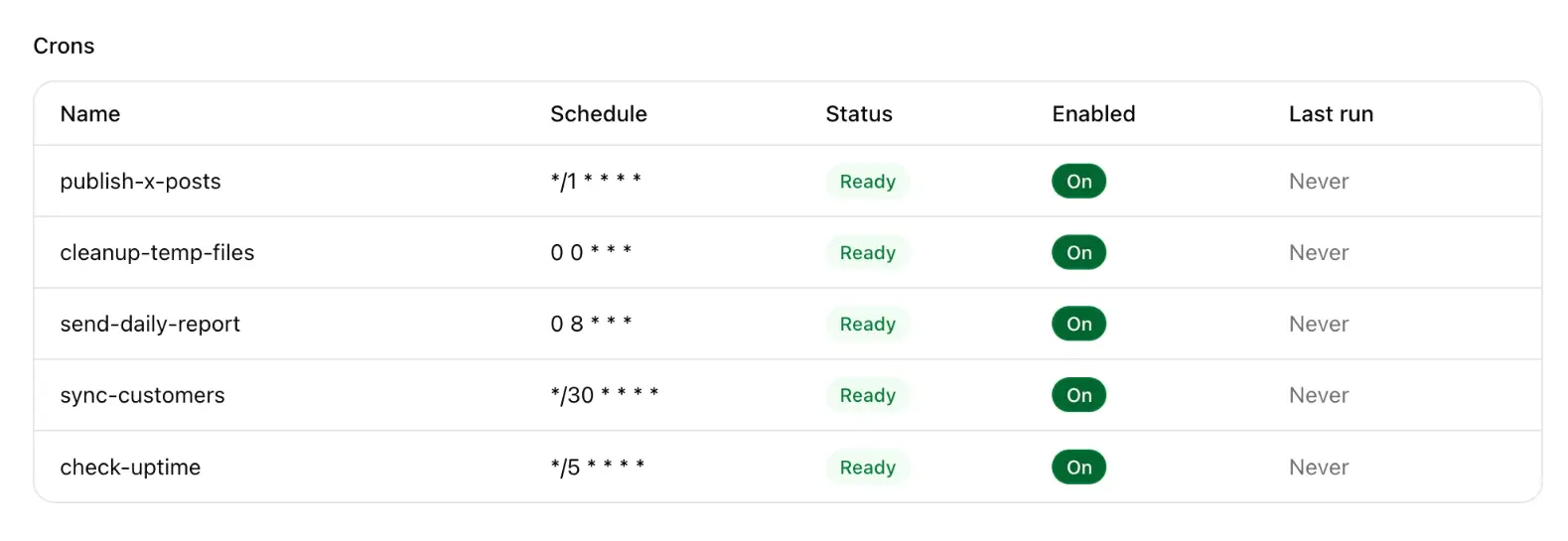
Crons are scheduled jobs on Cloud. They run on UTC, in the backend, not in the visitor’s browser, and not as a URL you should call from the website.
Create
Empty state: No crons yet. Chat creates scheduled jobs when this site needs them.
Every morning at 09:00 UTC, email me a count of new waitlist rows.Names are short DNS labels: lowercase, digits, hyphens, max 32 characters.
Schedule
Five-field cron, UTC, plus aliases:
| Expression | Meaning |
|---|---|
*/5 * * * * | Every 5 minutes |
0 * * * * | Hourly |
0 0 * * * | Daily at midnight UTC |
0 9 * * 1 | Mondays at 09:00 UTC |
@hourly @daily @weekly @monthly | Aliases |
Edit the schedule in the row dialog (placeholder */5 * * * *). Toggle Enabled without deleting the job.
Code
The handler is TypeScript in the form:
export default async () => {
  // ...
};
It is not a Hono route. Internally the platform hits /_cron/{name} with x-cron-trigger: 1. Do not call that path from the site.
Chat can run a cron once when you are testing. The builder UI edits schedule, enabled, and source: it does not include a “Run now” button.
Last run
The table shows last run time and status. Use that to see whether a job is actually firing after you enable Cloud.